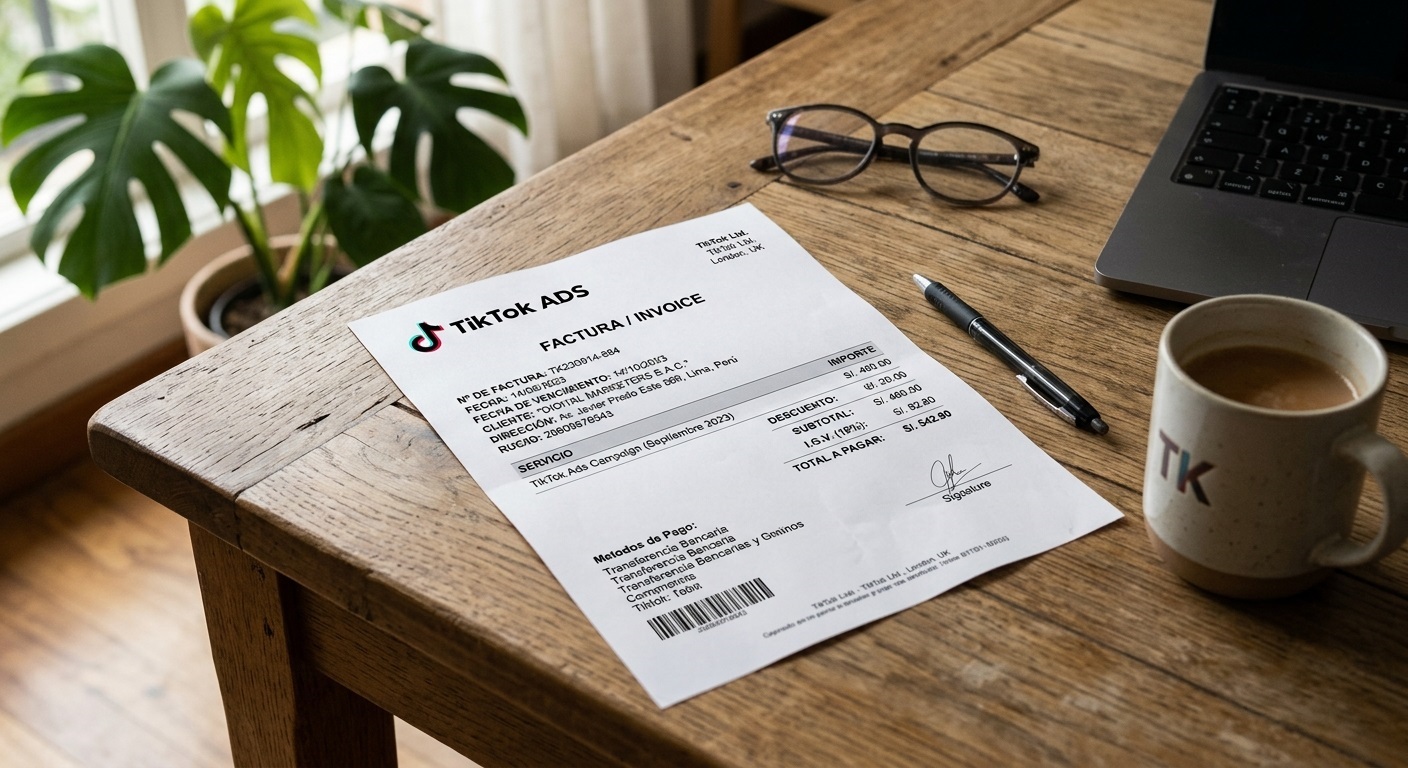
TikTok Ads is a key tool for many businesses on the platform. However, companies running campaigns often need to access their ad campaign invoices, as accounting teams require these documents for monthly financial records. In this tutorial, we explain how to access TikTok Ads invoices via the desktop version of TikTok:
Company name and tax information
TikTok generates two types of documents: receipts and invoices. Generally, TikTok generates invoices only when the business has entered its tax information in the TikTok Ads account. If you don’t provide this information, key details—such as the business name, address, or tax ID number—may not appear on payment receipts or invoices.
How to access your TikTok Ads invoices
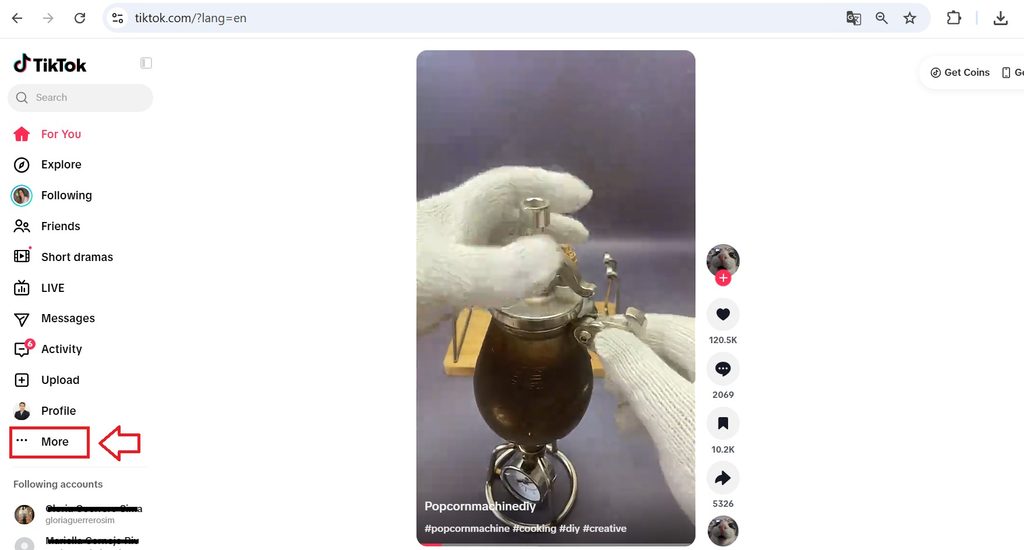
To access your TikTok Ads invoices, go to your TikTok account and click the “More” icon in the left-hand menu.
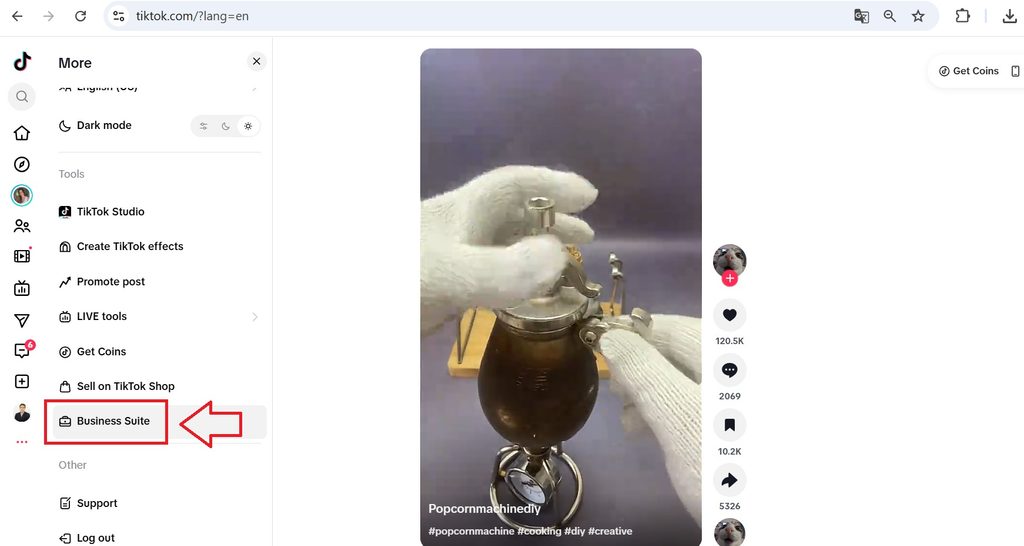
A pop-up window with additional options will appear; click on “Business Suite.”
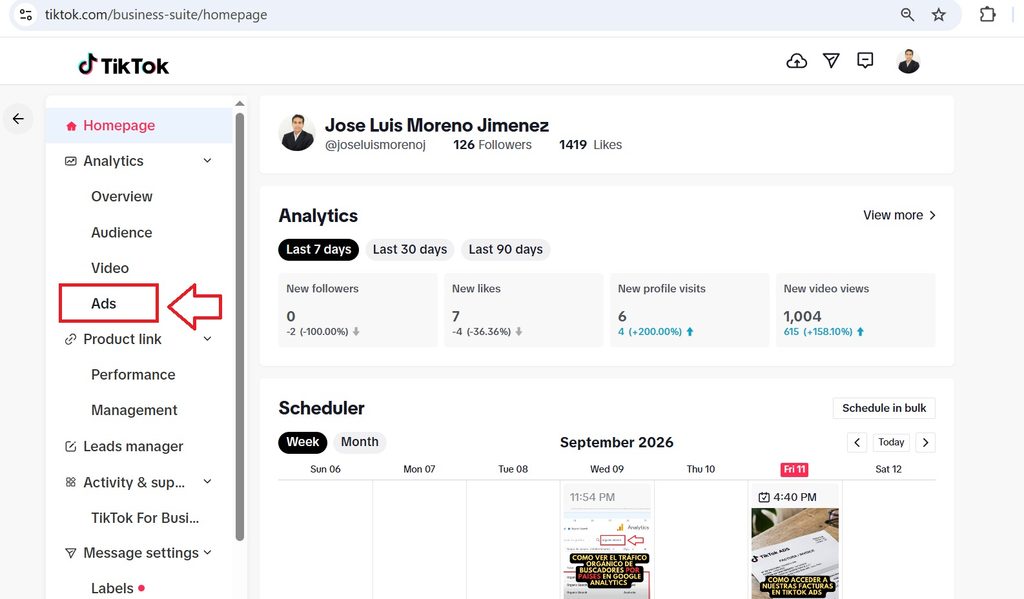
Next, a screen like the one shown below will appear; click on “Ads.”
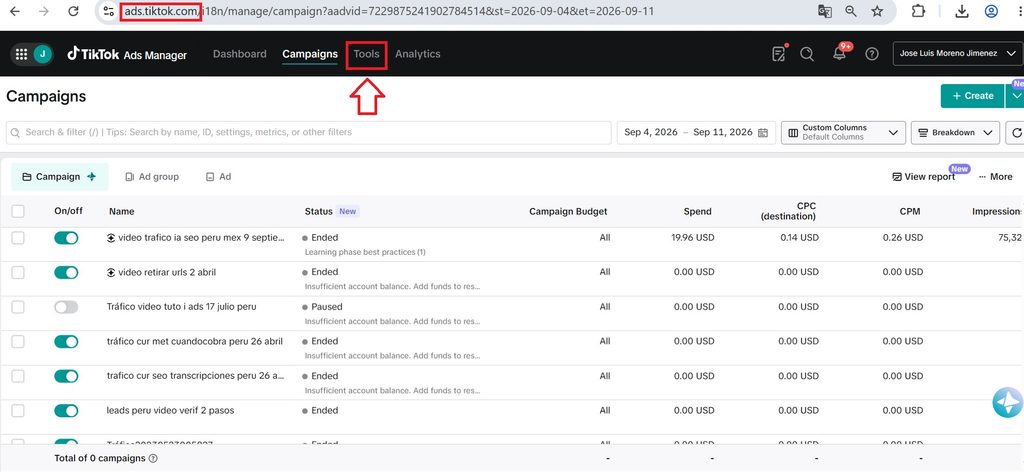
After that, log in to your TikTok Ads Manager (at ads.tiktok.com), navigate to the main menu, and click on “Tools.”
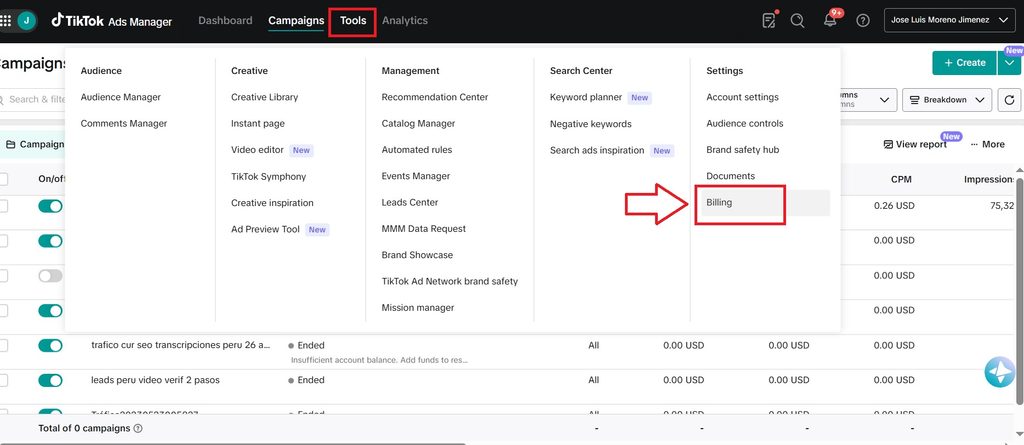
A pop-up window will appear; select the “Billing” option
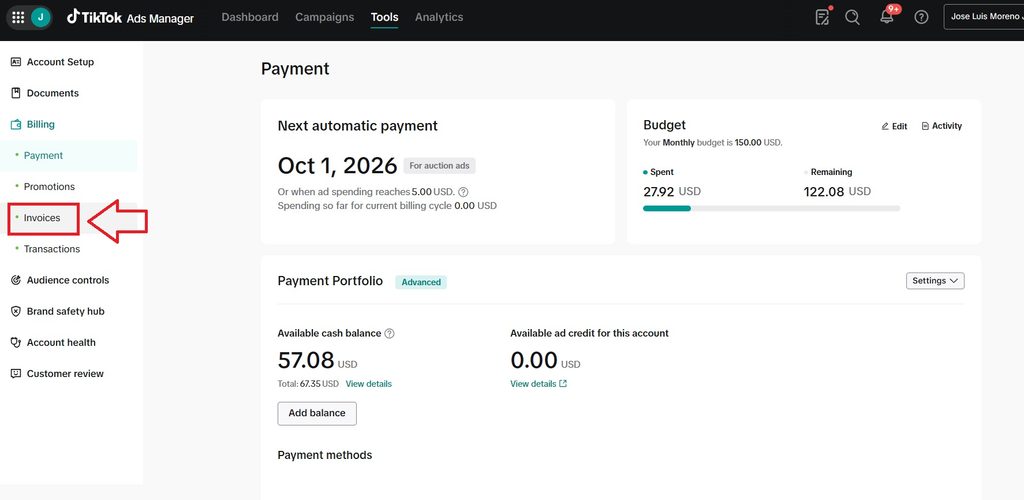
You will then see a panel like the one shown below (its appearance will vary depending on whether you use a prepaid or postpaid system); however, the left-hand menu will look the same. Select the “Invoices” option.
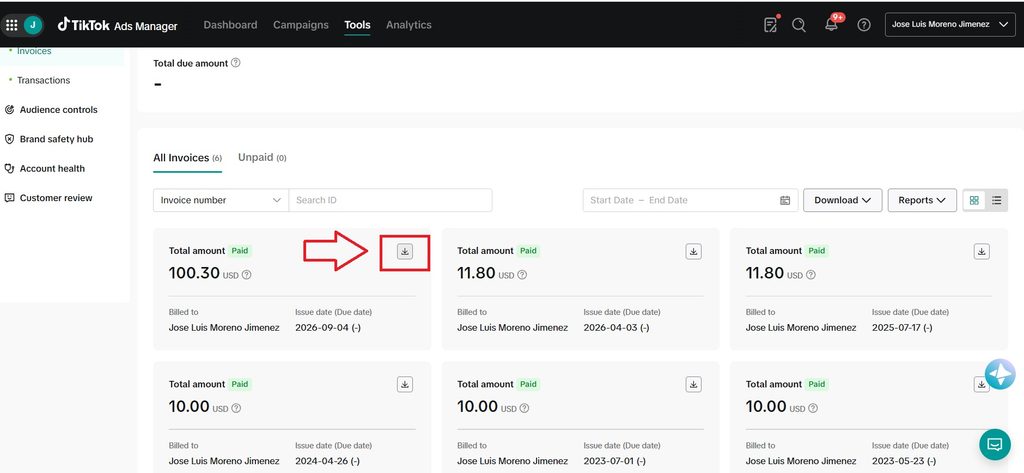
You can view all your invoices here; to download one, simply click the “download” icon (a downward-facing arrow) located to the right of each invoice.
A PDF file will download; opening it allows you to view your invoice:
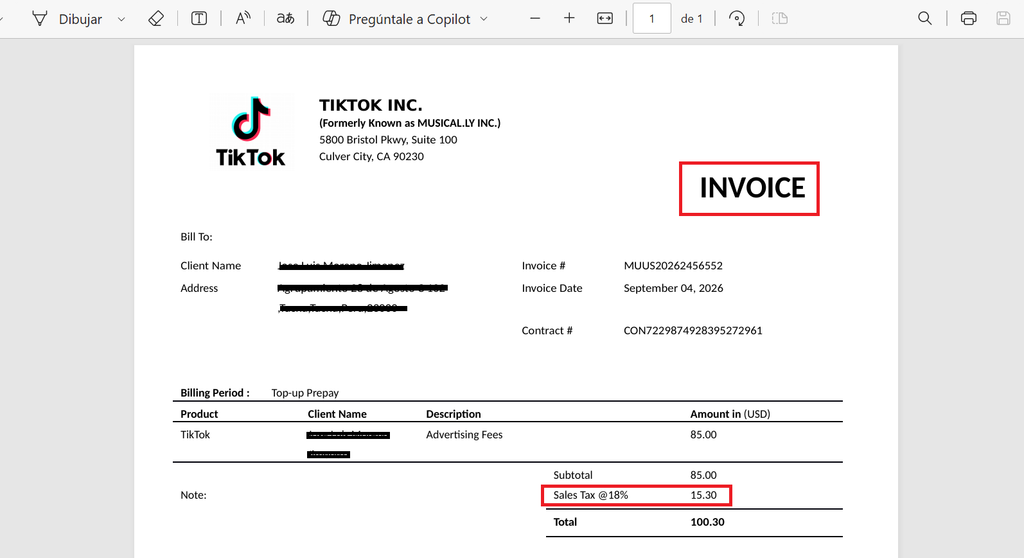
When are TikTok Ads invoices generated?
TikTok Ads invoices are generated whenever the system processes an automatic charge, or you make a manual payment. For postpaid accounts, this occurs either when the ad account’s payment threshold is reached or at the end of the month. The payment threshold starts at $10 and gradually increases as the ad account becomes more active (up to $50, $100, $250, $500, or $1,000). Consequently, it’s normal to have several invoices for smaller amounts during your initial campaigns; over time, you will see fewer invoices for larger amounts.
Experience with TikTok Ads invoices and personal tips
In my personal and professional experience managing various client campaigns on TikTok Ads, I have noticed that many businesses run ads without registering as a company. This results in payment receipts rather than formal invoices. However, once a business enters its details into TikTok Ads, it often wants invoices generated for the period *prior* to entering that information. This isn’t possible because the action isn’t retroactive; invoices with the company’s details will be generated correctly only from the date the information was entered onward.
Another point to consider carefully is who will be responsible for providing those invoices to the accounting team. For instance, invoices may generate correctly, but the accounting team may lack access to the ad account, and no one may be assigned to forward the information. In my experience, it is best for the advertiser to send those invoices directly to the company’s accounting team.
What are your thoughts on this? Have you had trouble accessing your TikTok Ads invoices?
If you need help with TikTok ads for your company or business, you can contact me by visiting the following link.