
Meta Ads lets you create automated rules that enable your ad account to take specific actions when certain conditions are met; for example, campaigns can automatically turn off when the “cost per action” or “total spend” reaches a specific amount. In this tutorial, we will explain how to create an automated rule in Meta Ads to turn off all campaigns when a campaign’s spend exceeds a certain amount or value.
How to create an automated rule
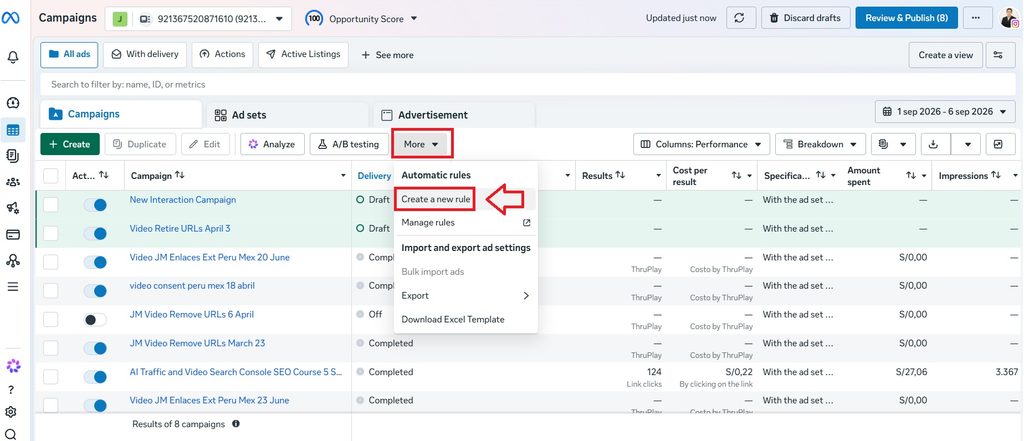
To create an automated rule in Meta Ads, first go to your Ads Manager (adsmanager.facebook.com), navigate to the “More” section, and select the “Create new rule” option.
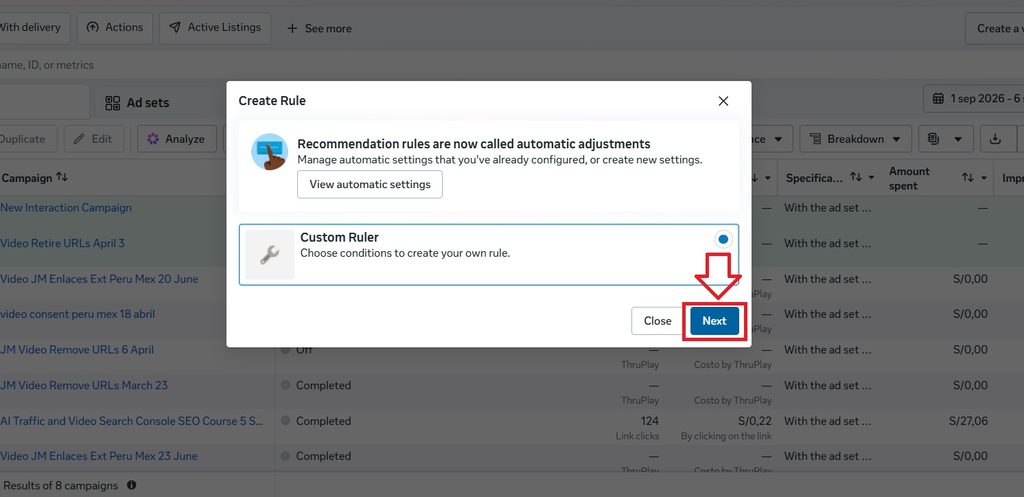
Select the “Custom rule” option and then click “Next.”
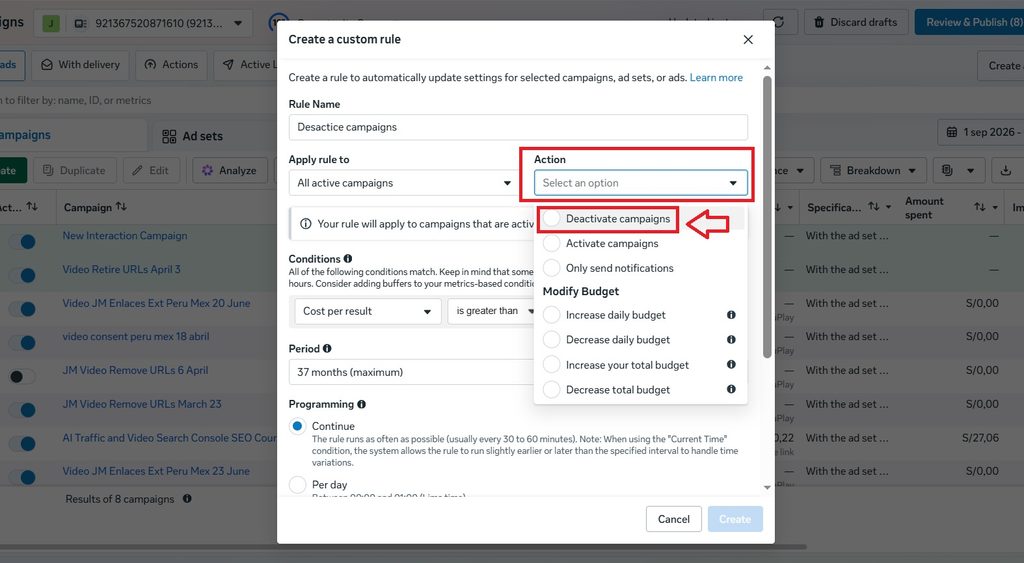
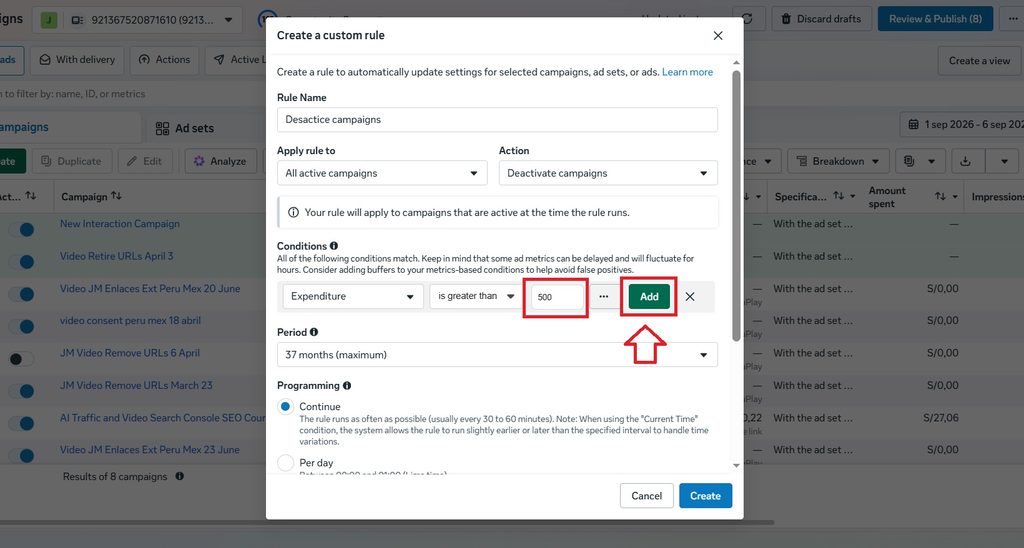
Next, name the rule and choose the actions to be performed; in this case, the rule will apply to “All active campaigns,” and the action will be “Desactive campaigns.”
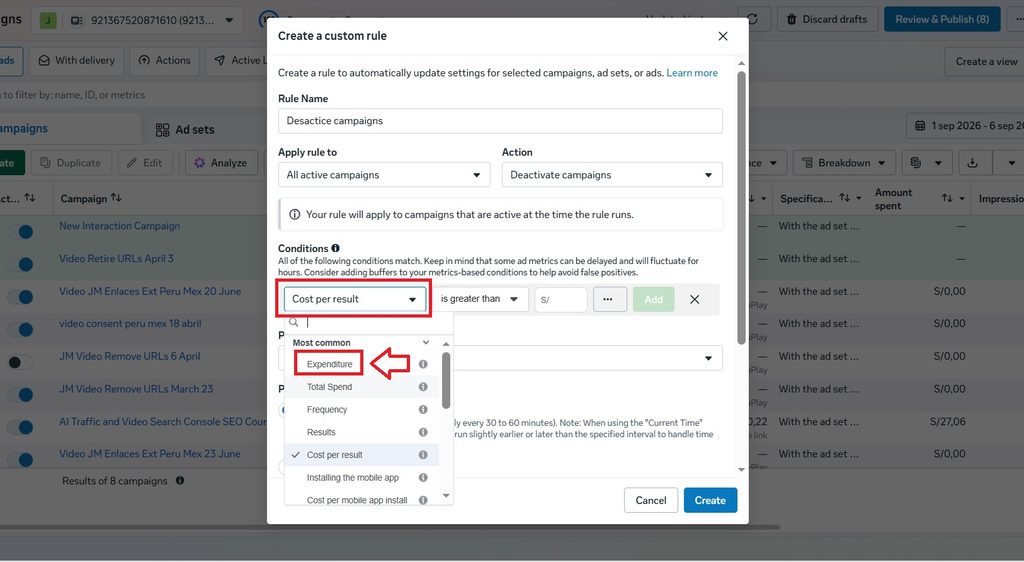
Then, go to the “Conditions” section and select the “Spend” option.
Verify that it is set to “is greater than,” enter the amount (in this case, 500), and then click “Add.
Finally, verify that the rule was created correctly; you will see a label that reads “Expenditure > 500” (meaning the rule will trigger when spend exceeds 500). After that, click “Create”.
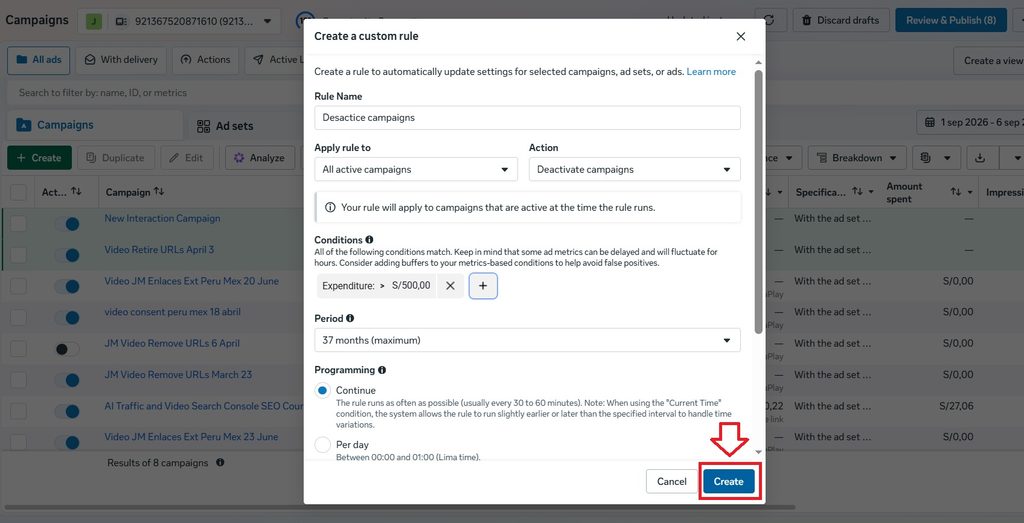
A confirmation message will appear indicating that the automatic rule was successfully created.
Managing automatic rules in Meta Ads
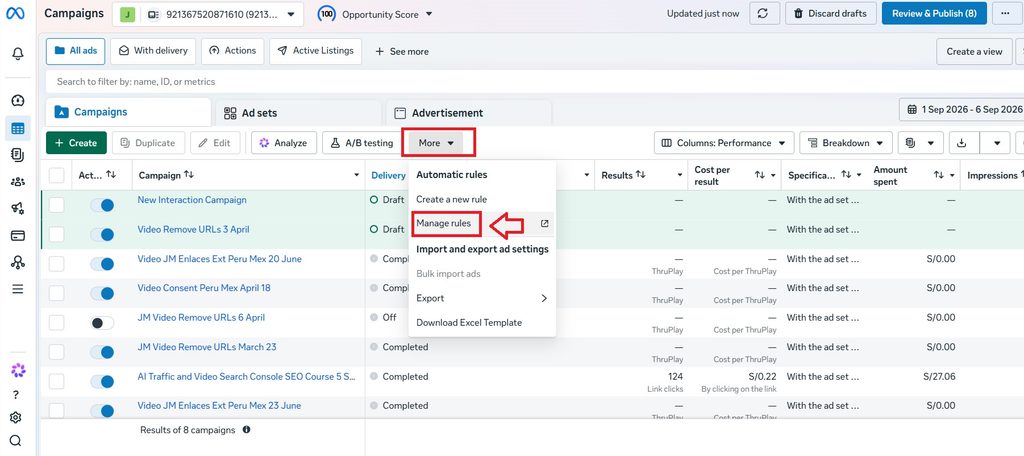
To view the automatic rules you’ve created, go to the “More” section and select “Manage rules,” or visit this URL directly: business.facebook.com/ads/manager/rules/management/
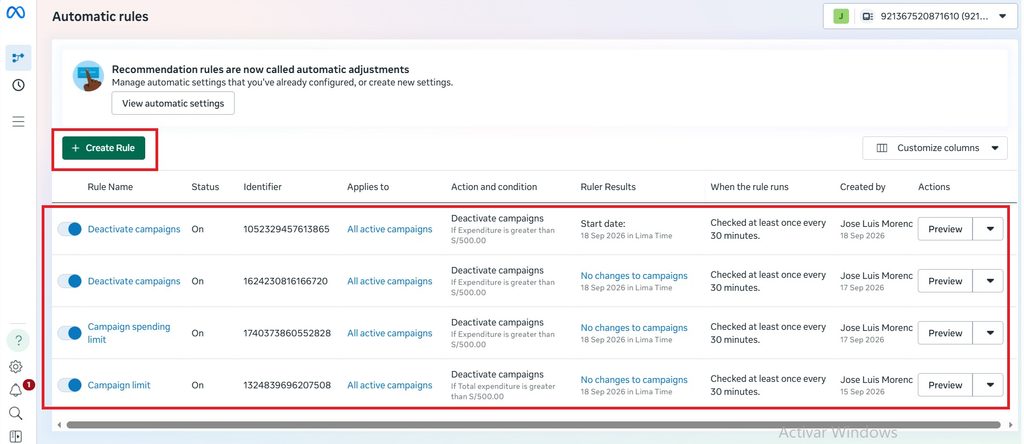
Once there, you can view the different automatic rules you’ve created; you can also deactivate them or create new ones if you wish.
Personal opinion on this feature
I find this feature very useful, especially as a security measure to protect against Meta Ads account hacking. Hackers usually try to spend as much of the budget as possible in the shortest amount of time; however, with this rule, all campaigns will turn off once a specific spending limit is reached. Therefore, choose an amount that reflects the “average” spend for a typical campaign. This security measure can also be used alongside—or to complement—the ad account spending limit feature, which sets a maximum total spend for the entire ad account.
Another very useful way to use automated rules is to deactivate a campaign when the cost per action hits a certain amount. This is particularly helpful for campaigns where cost per action is a key metric (such as lead generation or conversion campaigns).
What are your thoughts on this topic? Do you use automatic rules in Meta Ads?
If you’d like to learn more about Meta Ads, I have a video course titled “Meta Ads (Compliant with Policies).” You can visit the following link for more information about the course.