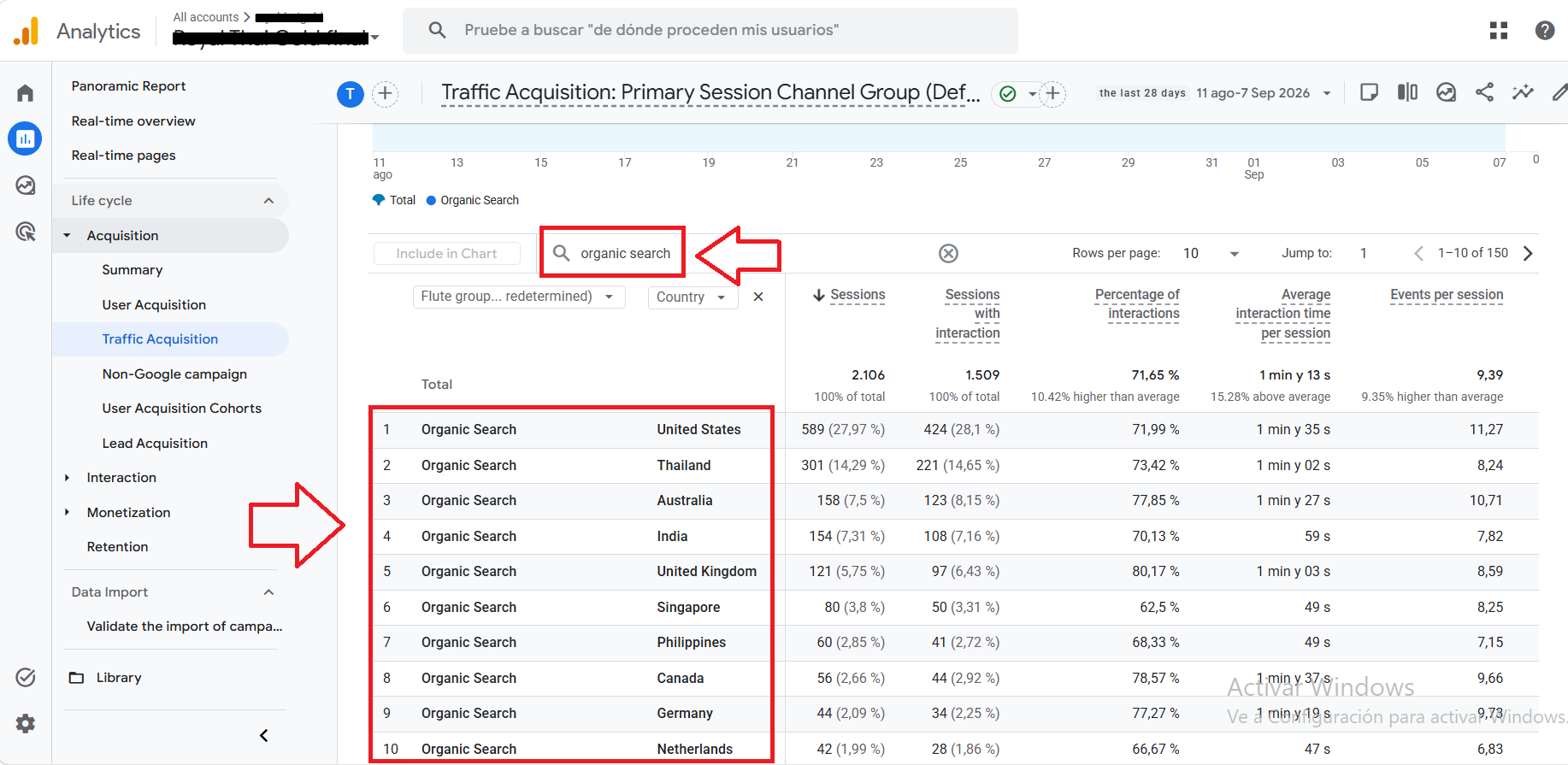
Many companies looking to measure the SEO (search engine optimization) of their website or online store turn to Google Analytics to track organic (non-paid) traffic from search engines. However, this metric is often displayed globally, without breaking down traffic by country. In this tutorial, we will explain how to view organic search traffic “by country” in Google Analytics.
What does the “organic search” metric mean in Google Analytics?
The “organic search” metric in Analytics represents the total traffic generated by various search engines such as Google, Bing, Yahoo, etc.
How to view organic search traffic in Analytics
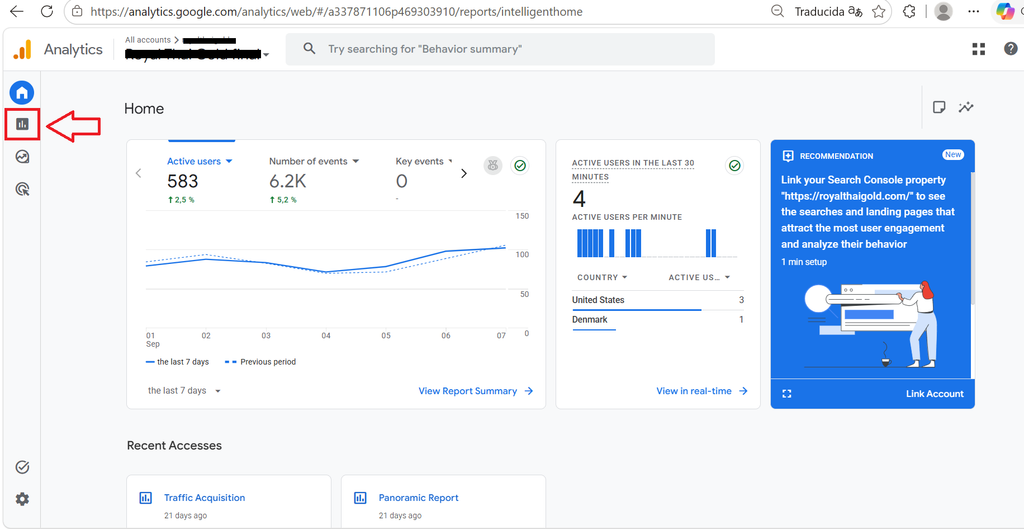
First, go to Google Analytics. After logging in, go to the top-left corner and click on the “statistics” icon:
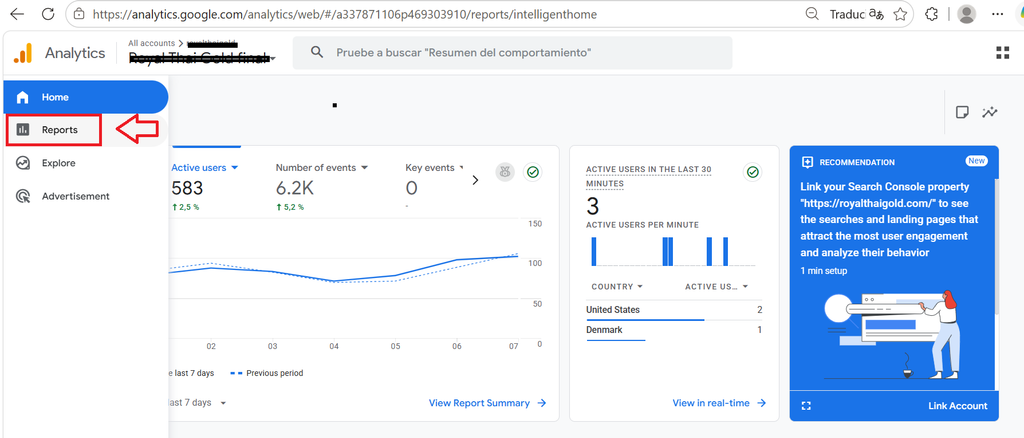
A pop-up window will appear; click on “Reports”:
Next, go to the “Acquisition” section and select the “Traffic acquisition” option:
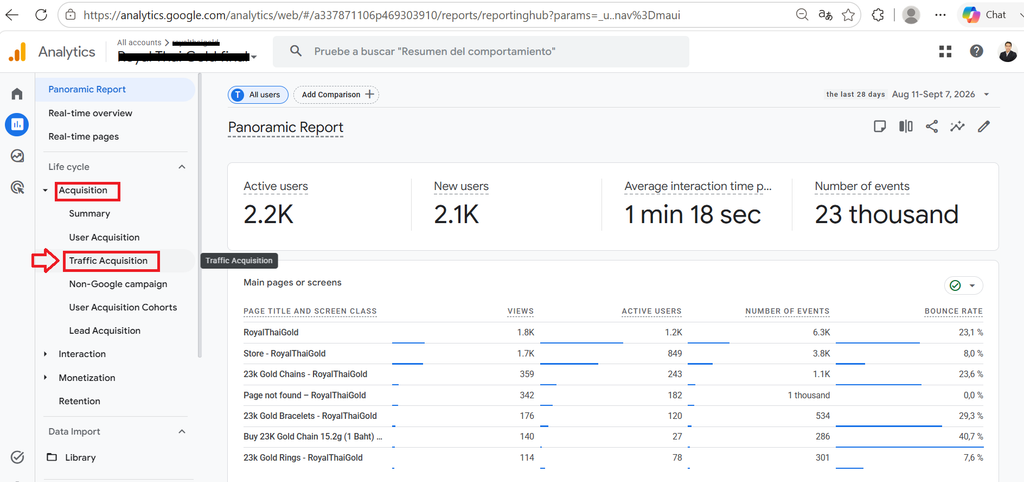
You will see a statistical chart like the one below, displaying the different traffic sources:
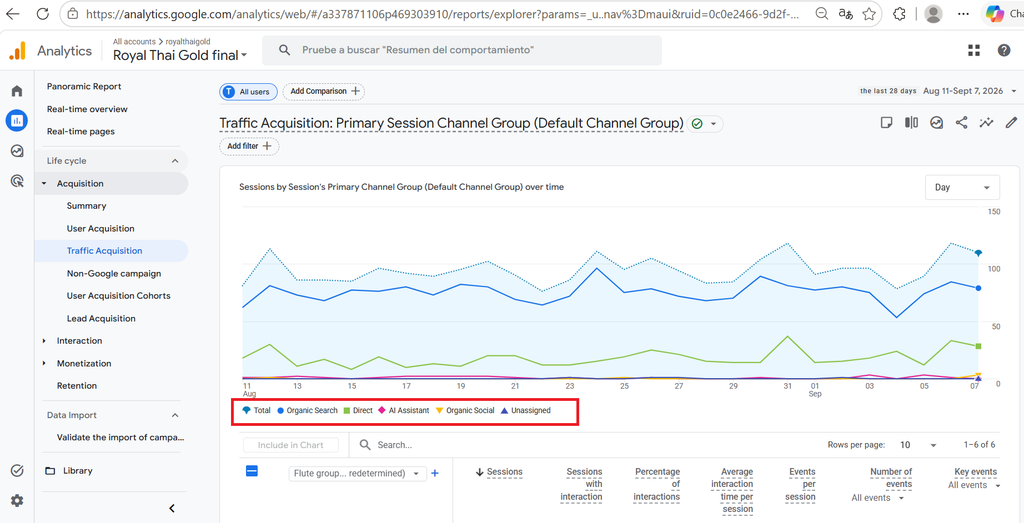
If you scroll down, you will see data for each traffic source, including the “organic search” metric.
How to view organic search traffic by country
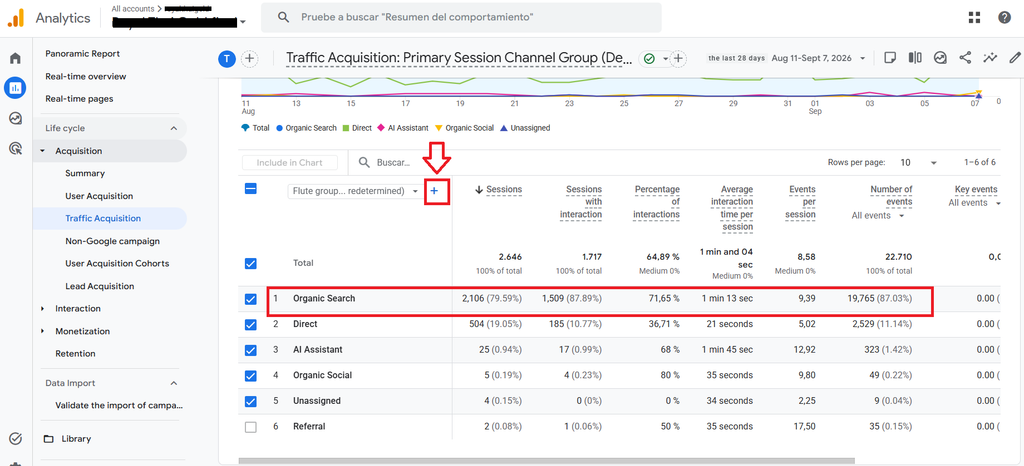
To view a breakdown of organic search traffic by country, click the “+” symbol located to the right of the “Channel Grouping” option:
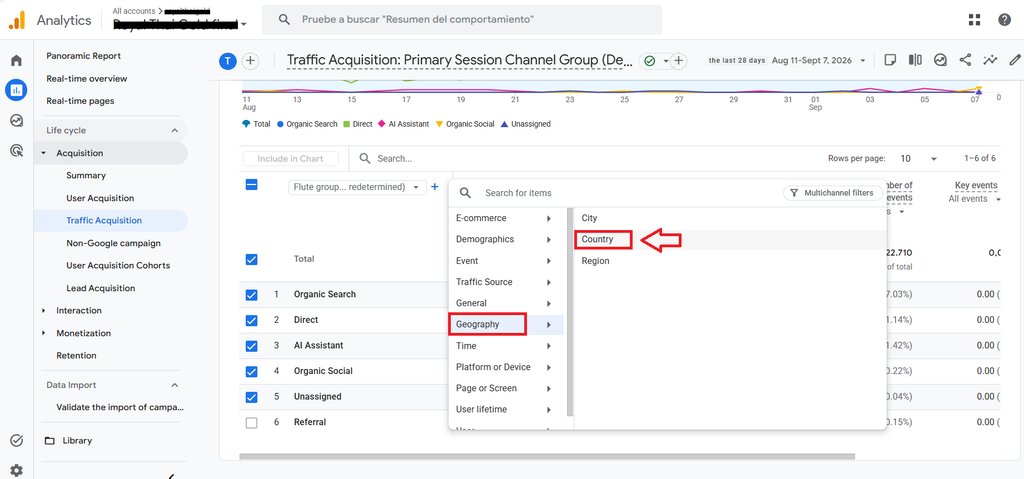
A pop-up window will appear; select the “Geography” option, followed by the “Country” option:
A list of results by country will appear, though it will initially show all traffic sources:
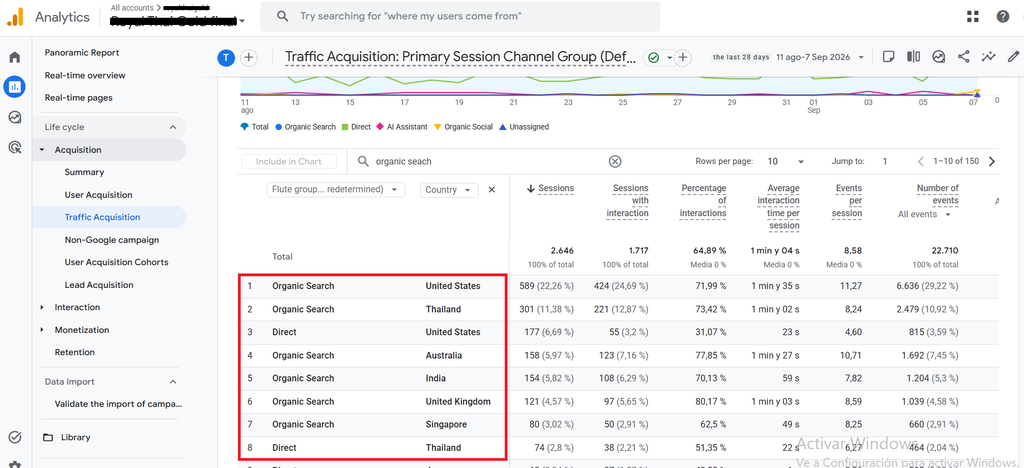
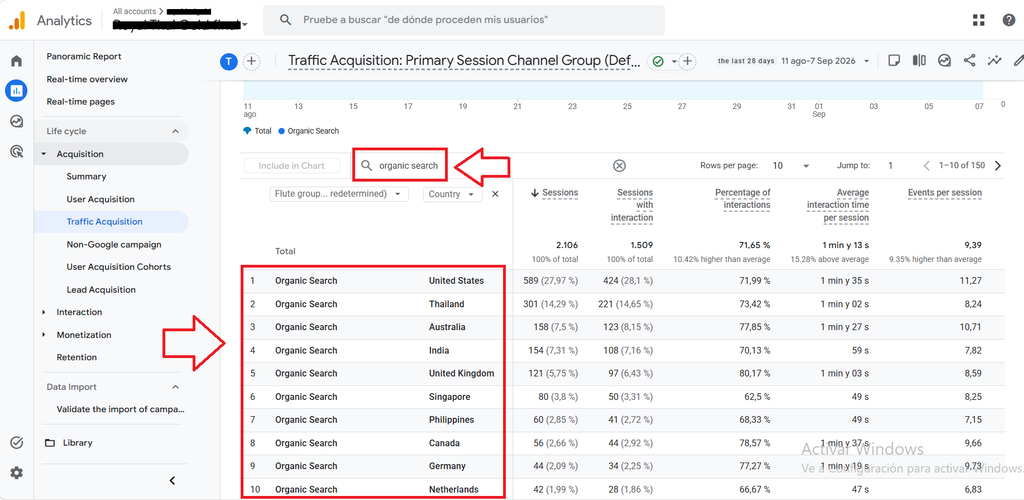
To display only organic search traffic by country, simply type “organic search” into the search bar, and the organic search results categorized by country will appear:
Personal opinion and experience with this metric
In my experience, this metric is very useful—especially for businesses with a national or international presence that want to track SEO traffic for a specific country. However, the tool is less precise for city-level traffic; it ranks cities globally (regardless of country), which isn’t very helpful for a local business. Can you track SEO traffic by country? Yes, but this requires a more advanced feature called “Custom Reports” (which I will explain in a future article). Another point to consider: in addition to general organic search traffic, you can also track traffic from a specific search engine (such as Google).
What are your thoughts on this topic? Can you view organic search traffic by country for your website or online store?
If you need help with SEO for your website or online store, you can contact me via the following link.