Many businesses running campaigns on Meta Ads want to know how to access invoices for their Facebook, Instagram, or WhatsApp ad campaigns, as these documents are often requested by the business or organization’s accounting team. This tutorial explains how to access your Meta Ads invoices:
Business Name and Tax Information
It’s important to note that Meta generates two types of documents: receipts and invoices. Invoices are typically only generated when the business has entered its tax information in its Meta Ads account. If the business doesn’t provide this information, key data (such as the business name, address, or tax ID number) may not appear on payment receipts or invoices.
Accessing Your Invoices in Meta Ads
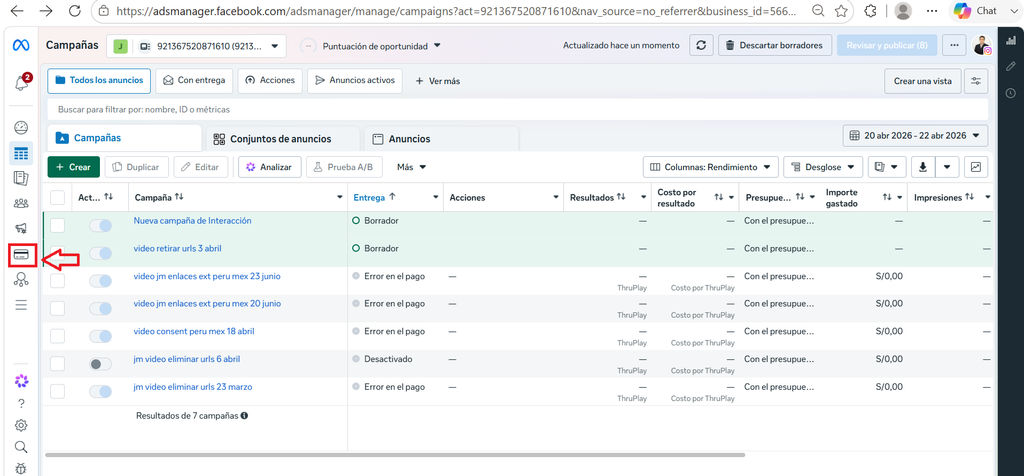
To access your invoices in Meta Ads, go to your Ads Manager at adsmanager.facebook.com (log in with your Facebook or Instagram account) or visit business.facebook.com/ads/manager/ (and select the corresponding ad account). Then, go to the menu on the left (a drop-down menu will appear) and click on the “Billing & Payments” option or the credit card icon:
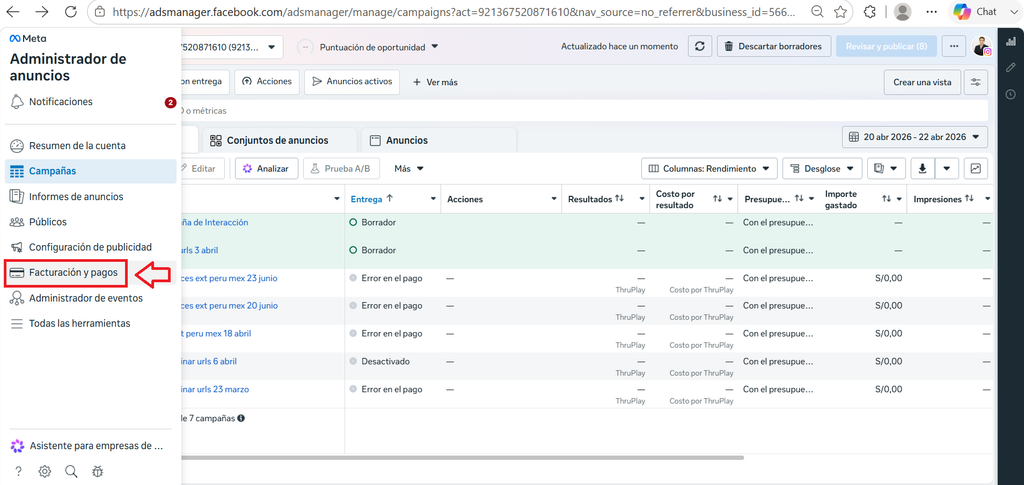
If you hover your cursor over the left side, a drop-down menu will appear with the names of each function. In this case, the name “Billing & Payments” will appear next to the credit card icon:
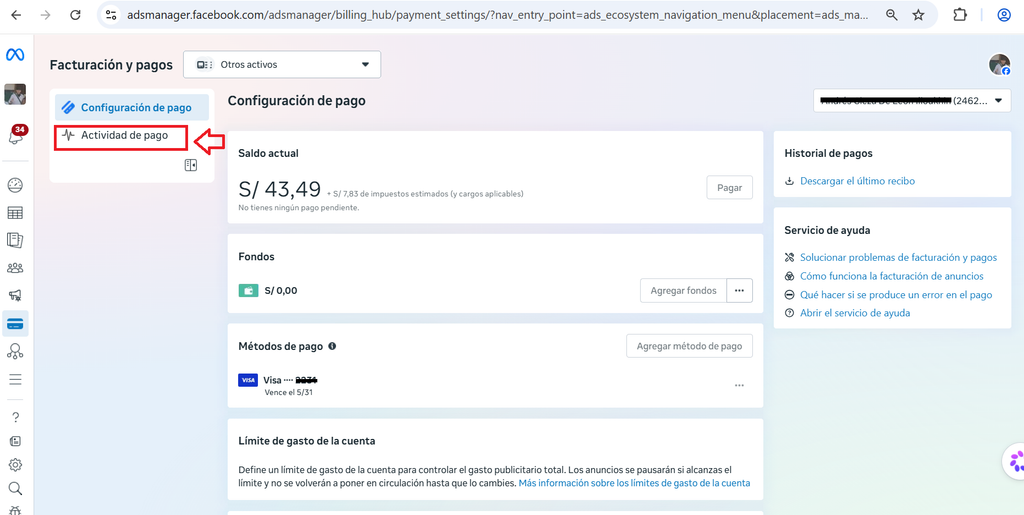
You will then see a screen like the one below, and click where it says “Payment Activity.”
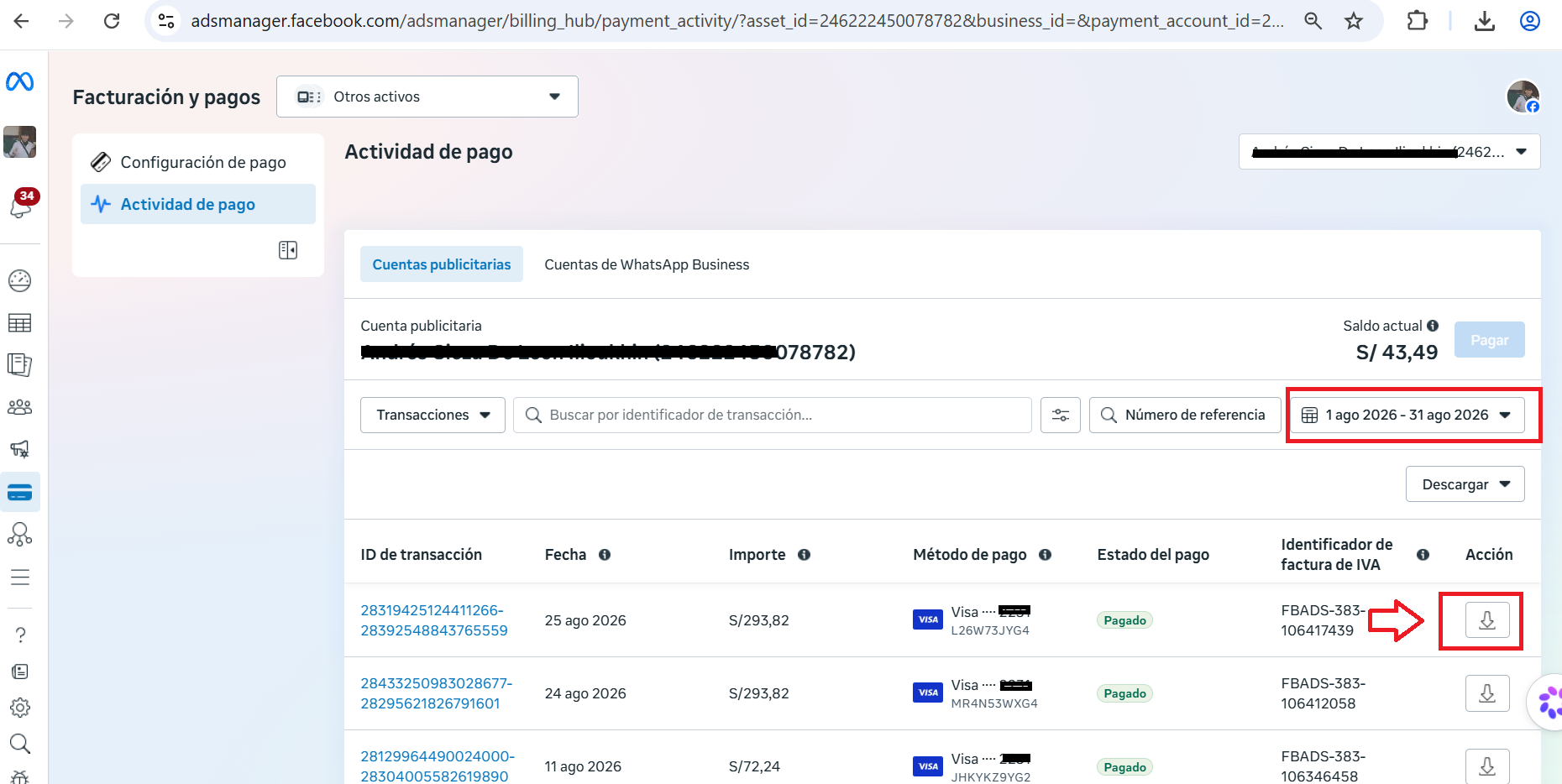
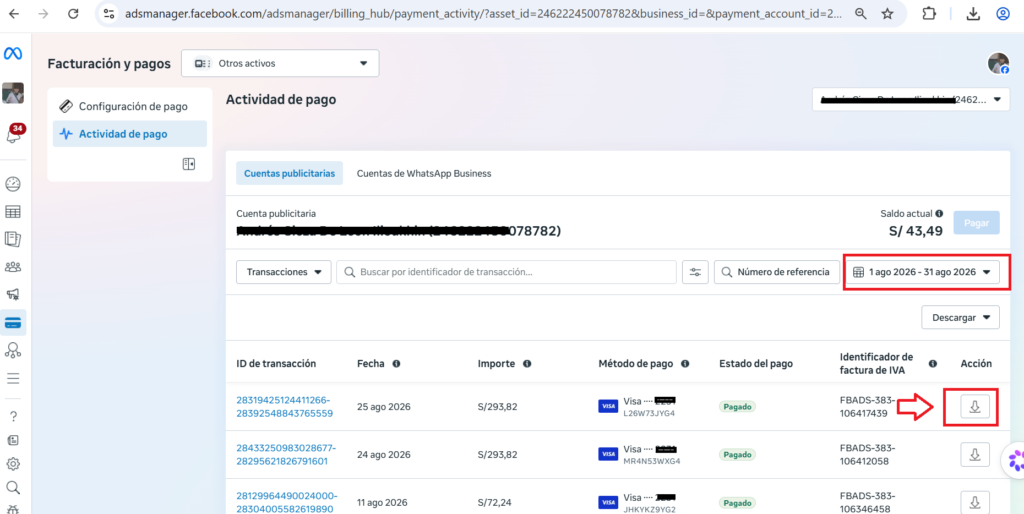
A screen like the one below will appear. We enter the corresponding date range, and all payments made will appear with their respective documents. To download each document (PDF format), simply click on the arrow icon (download) located to the right of each payment.
How is the invoice displayed in Meta Ads?
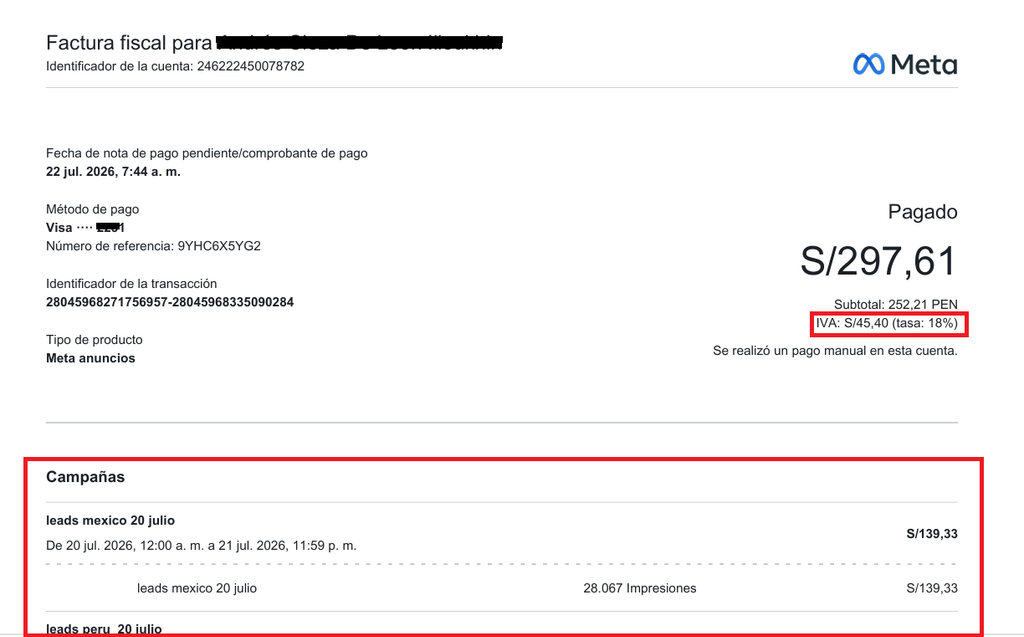
The PDF invoice displays the company name, payment amount, payment method, and date at the top. If the billing information was entered correctly, the tax or VAT will appear. Below, you will find the details of each advertising campaign or ad.
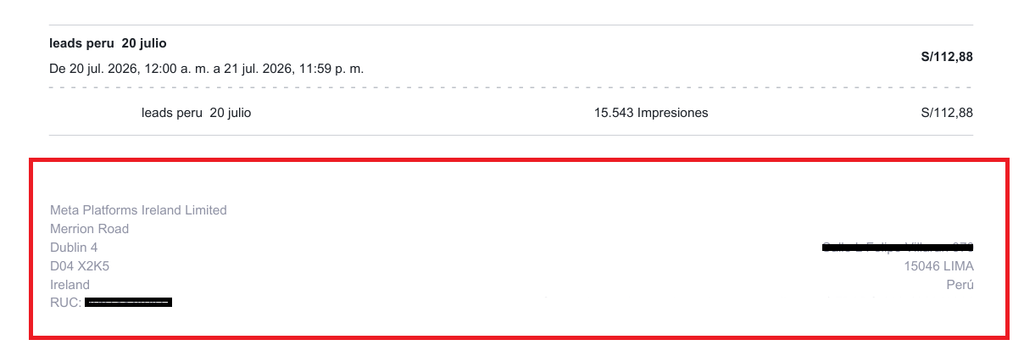
At the bottom of the PDF (footer), you will find Meta’s information and additional details about the receipt.
When are invoices generated in Meta Ads?
Meta Ads invoices are generated whenever the system processes an automatic payment or a manual payment. In postpaid accounts, this occurs either when the ad account’s payment limit is exceeded or at the end of each month. The payment limit starts at $25 and gradually increases as the ad account becomes more active (it can reach $50, $100, $250, $500, or $1,000). Because of this, it’s perfectly normal to have several invoices with smaller amounts in your first few campaigns, while over time you’ll start seeing fewer invoices but with larger amounts.
What are your thoughts on this? Have you had any problems accessing your Meta Ads invoices?
If you’d like to learn more about Meta Ads, I recommend my video course titled “Meta Ads (Complying with the Rules).” For more information about the course (program, testimonials, etc.), you can visit the following link.