Many businesses use Google Search Console to measure the organic search traffic to their website or online store. However, many social channels also appear in Google search results, but this information is often not measured. In this tutorial, we’ll explain how to add a social channel to Google Search Console to measure organic search traffic and identify the search terms (keywords) associated with that channel.
Log in to Search Console
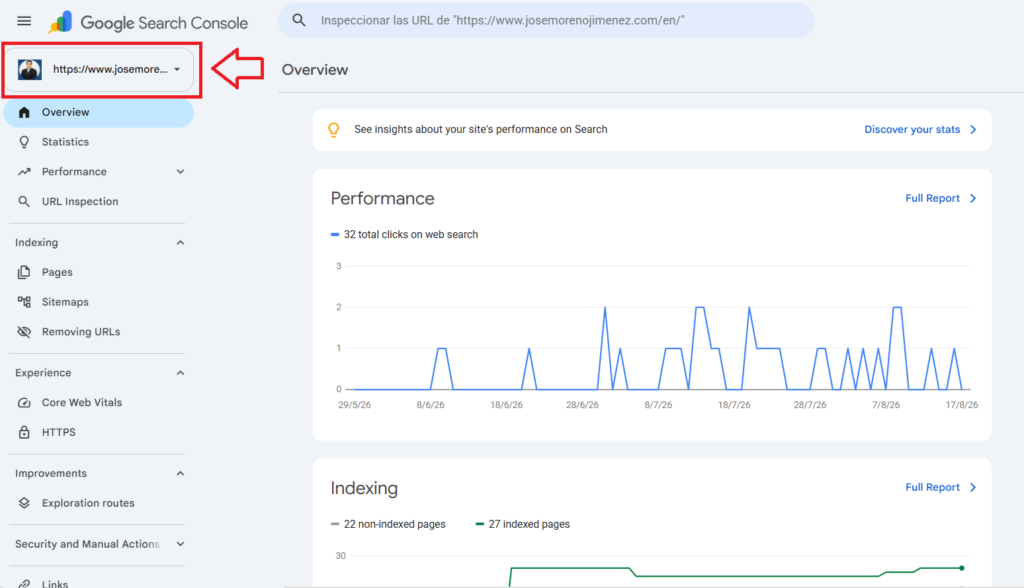
First, log in to your Google Search Console account and click in the upper right corner (where your property is displayed). If this is your first time creating an account or you don’t have a property added, simply click “Add property” (as shown below).
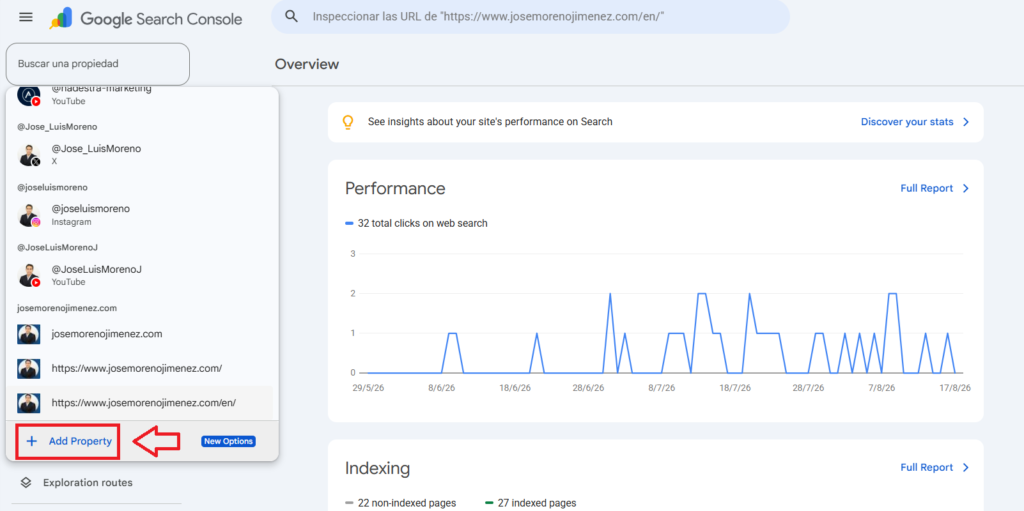
A dropdown menu will appear with all the properties you manage. Scroll to the bottom and select “Add property.”
Add a social channel in Search Console
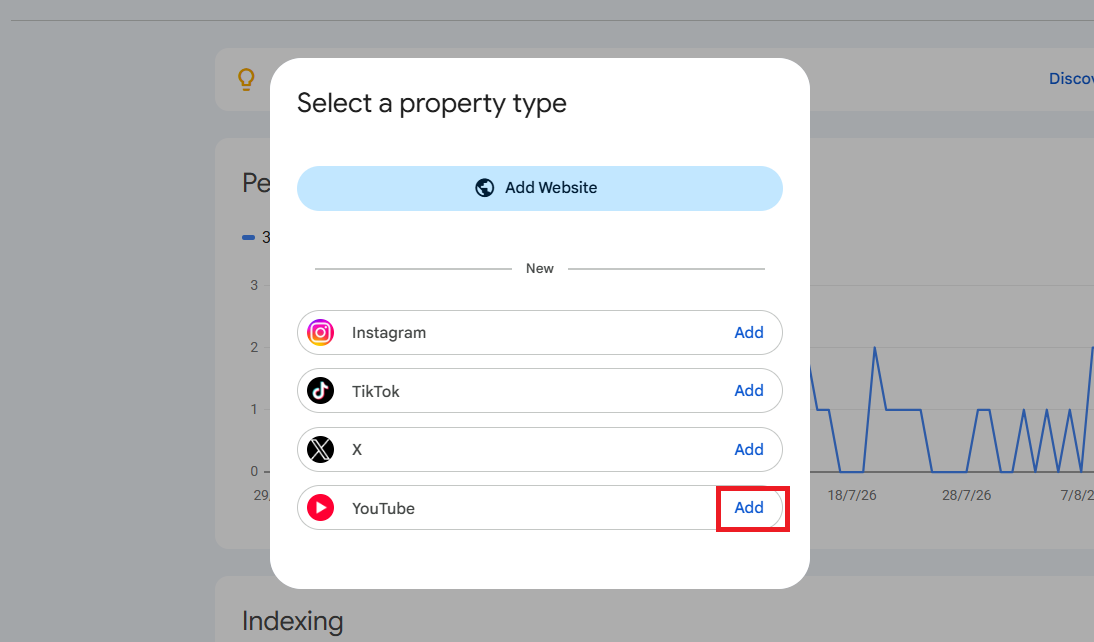
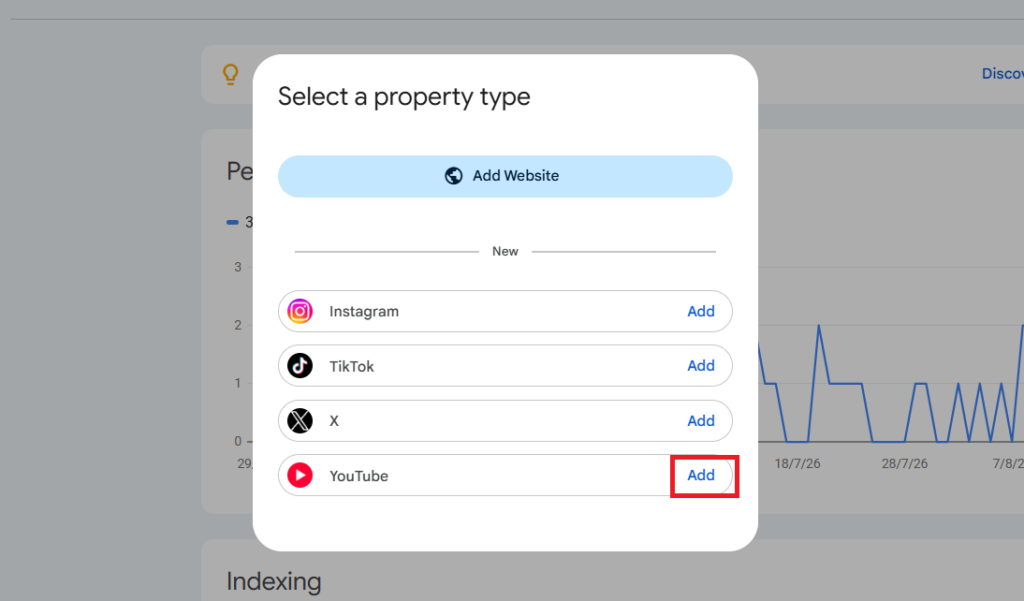
Next, choose the social network or channel you want to add (you can add an Instagram, TikTok, Twitter, or YouTube account). For this example, we’ll use a YouTube channel (click “Add”).
The channels where we have administrator rights will appear. Choose the corresponding channel and click “Add property.”
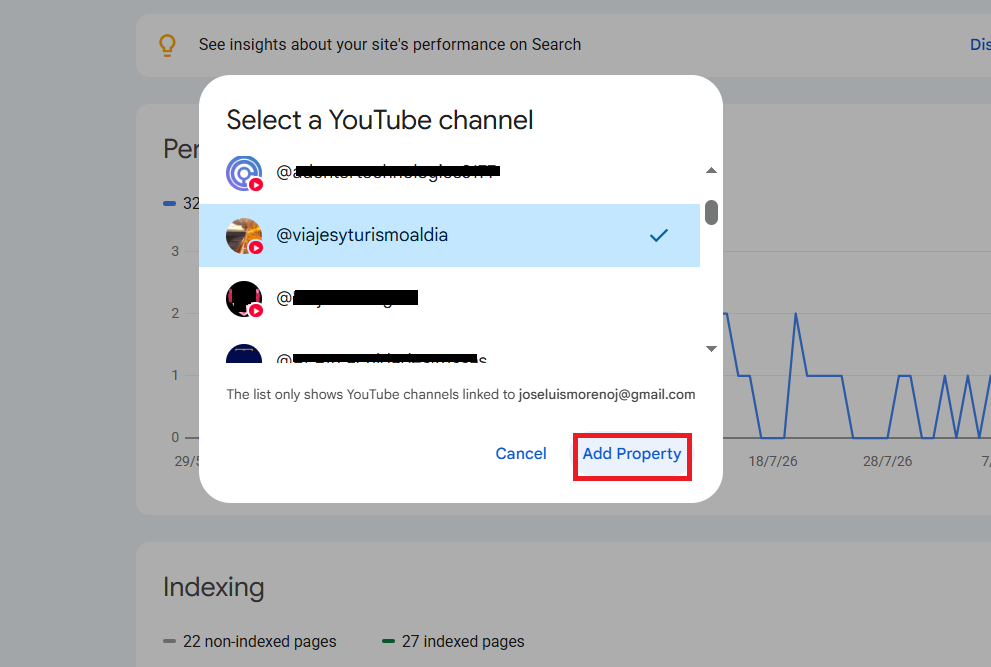
A message will then appear indicating that the property was successfully added.
Wait for the information to update
If you go to the property, you’ll see a notification that it will take approximately 48 hours for the information to update and for data to become visible. It’s important to note that you can only see data from the day you added the social channel. This means you won’t be able to see data before the date you added your social channel to Search Console.
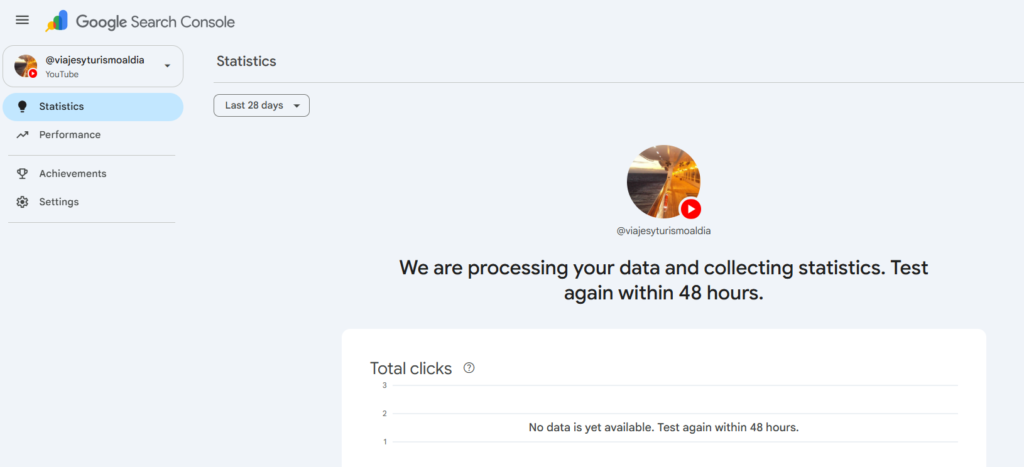
How to View Key Search Statistics
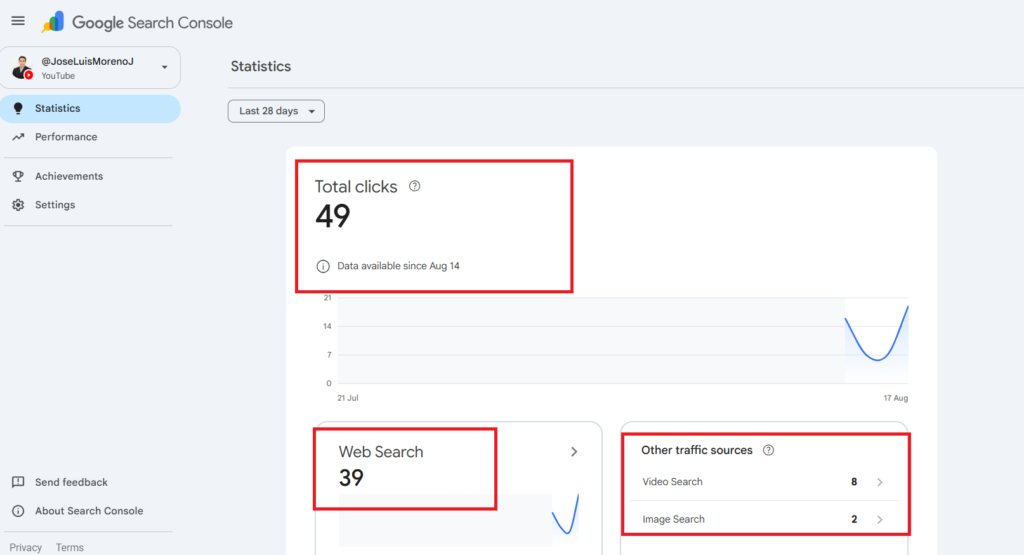
After 48 hours, you can start viewing your statistics. For example, on the homepage (Statistics section), you’ll see the total number of clicks generated by searches. You can choose from three date ranges: the last 7 days, the last month, and the last 3 months.
If you scroll down, you can see the search details. For example, you can see web (traditional) searches, as well as video and image searches.
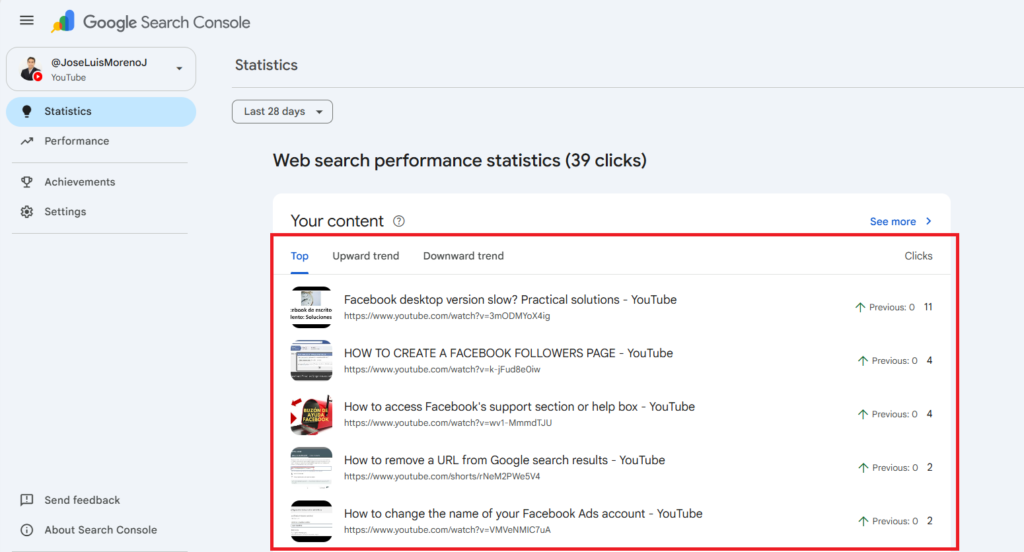
If you scroll further down, you can see the content that received the most searches, as well as sections with upward and downward trends.
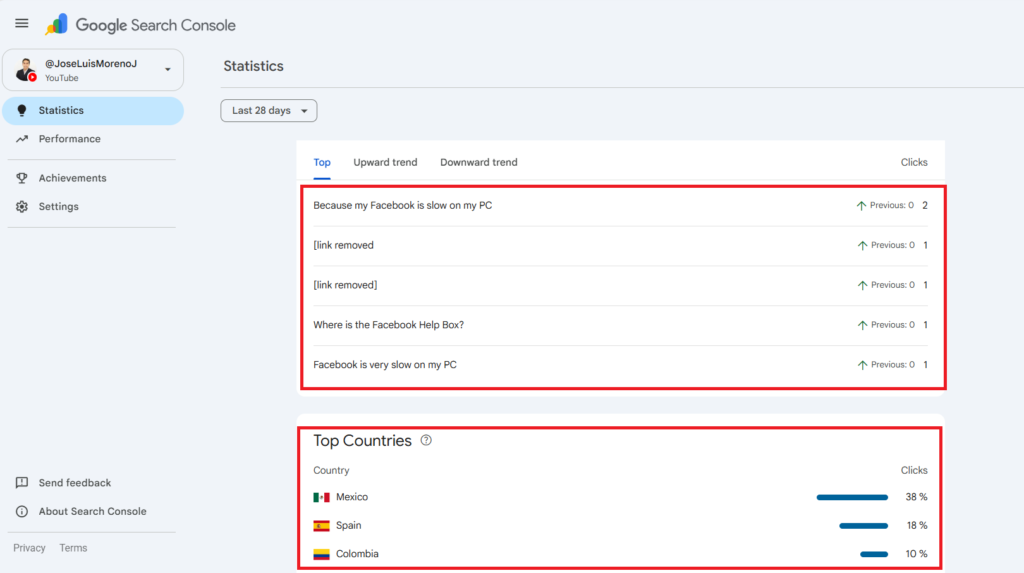
If you scroll to the bottom, you can see the top keywords used and the countries where those searches originate.
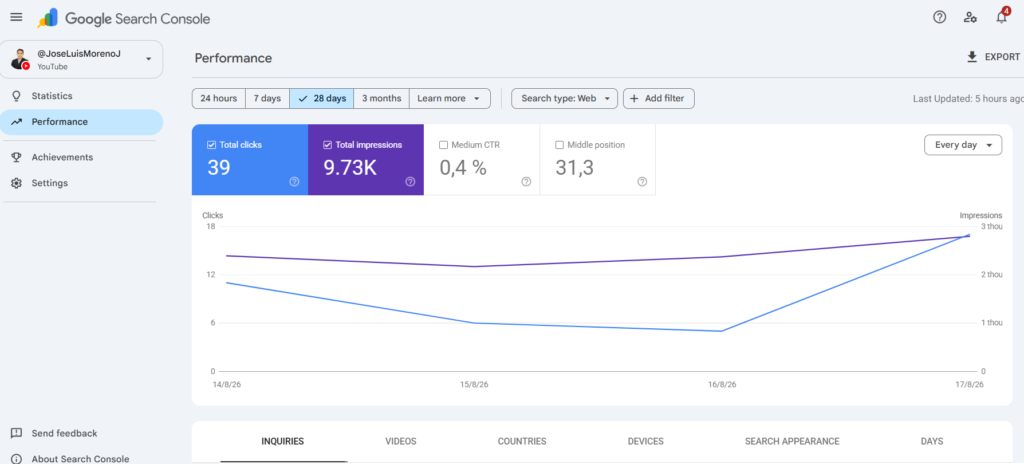
If we go to the “Performance” section, we can see a graph showing total clicks and impressions (in the standard Search Console format), as well as other metrics such as average CTR and average position (must be enabled to view them in the graph).
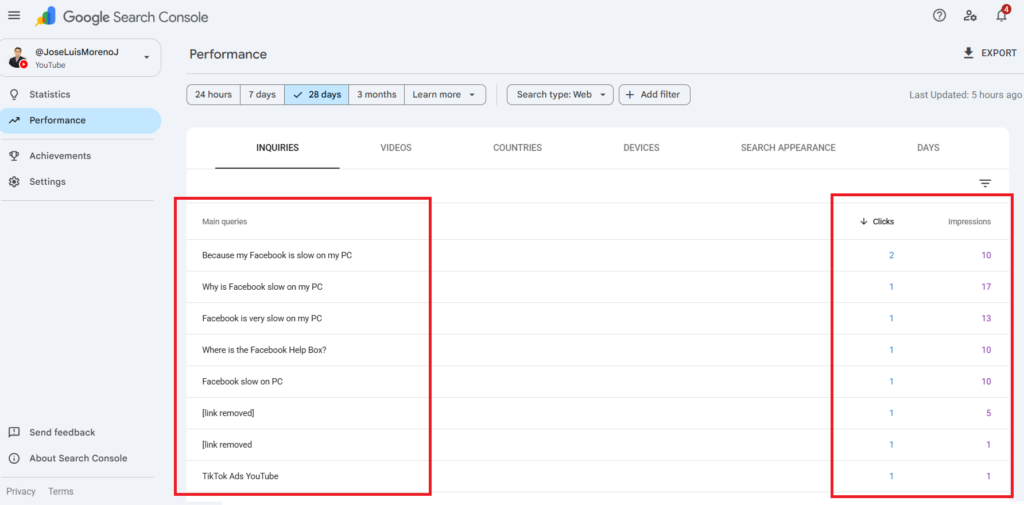
If we scroll down, we can see the keywords with their respective individual statistics (number of clicks and impressions).
Personal experience and opinion on this feature
I think this tool is very useful for realistically and objectively measuring the SEO traffic generated by social channels such as Instagram and TikTok. One of the main problems in the SEO environment was demonstrating (when a business had a website and social media accounts) that a significant portion of the searches could also reach other social media accounts of the company (without necessarily harming the website). The problem is that this lack of information has confused many companies when measuring their SEO performance. For example, if a website had 5,000 organic visits per month and suddenly those visits dropped to 4,000, two things could be happening:
1. The website’s organic search engine ranking is down, and 1,000 people are already clicking on the search results.
2. The website has 1,000 fewer visits from organic searches. Still, by measuring other social channels, we realize that those 1,000 visits are now coming from the company’s other social media channels (for example, 800 on YouTube and 700 on TikTok). Therefore, we can conclude that search traffic didn’t decrease, but rather increased; it’s just that this traffic is distributed among the company’s other digital assets.
As we can see, having this tool is a great advantage for measuring the social SEO of any company or business. However, I think Google took too long to enable this feature (it was only enabled in 2026 when it could have been enabled in 2021), but as the saying goes, “better late than never.”
What do you think about this? Have you added your social channel to Google Search Console?
If you need help with SEO for your website or social media channel, you can contact me by visiting the following link.